Keyboard shortcuts
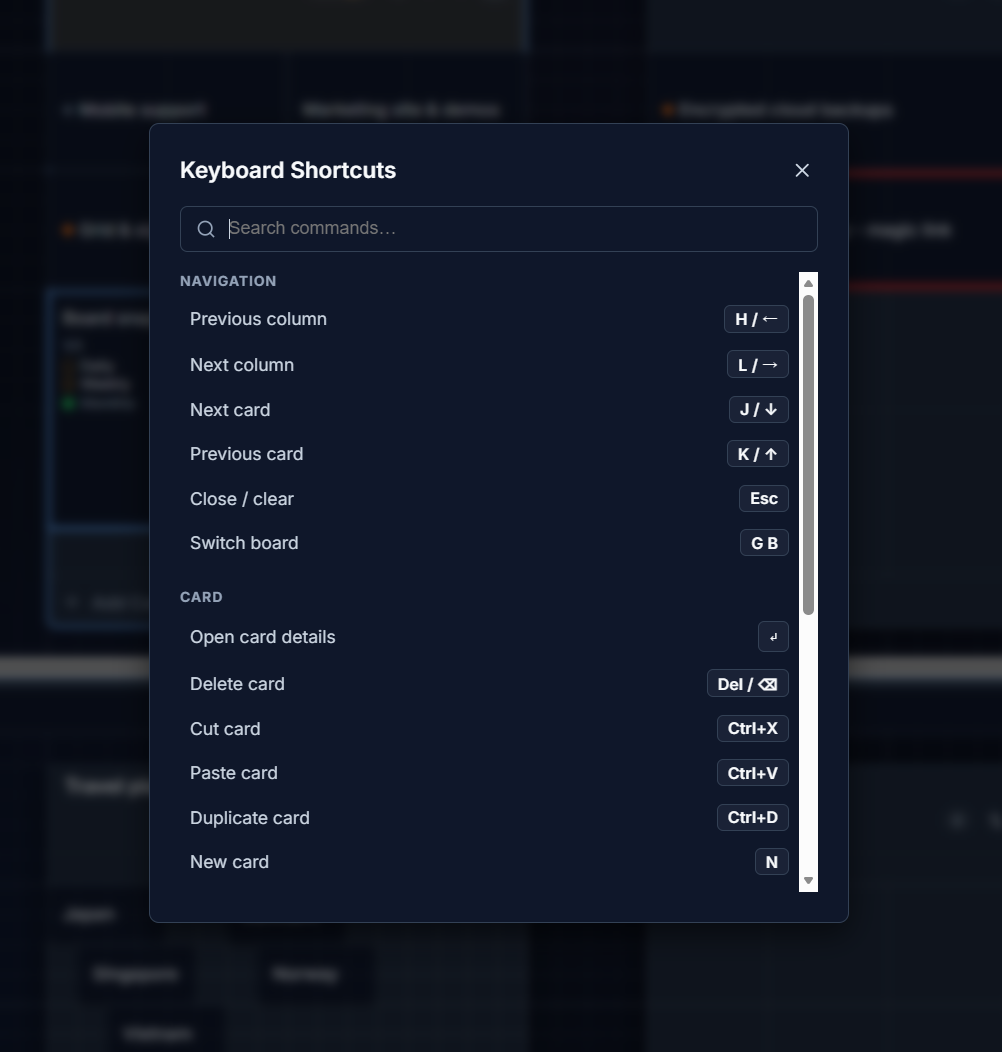
G Kanban is keyboard-first. Press ? at any time to open the shortcuts overlay, or Ctrl/Cmd + K to open the command palette and search for an action by name.
mod below means Cmd on macOS and Ctrl on Windows/Linux. Single-key shortcuts (like n or h/j/k/l) are automatically disabled while you’re typing in a text field or a modal is open, so they never interfere with your typing.
Navigation
Section titled “Navigation”| Action | Shortcut |
|---|---|
| Previous column | h or ← |
| Next column | l or → |
| Next card | j or ↓ |
| Previous card | k or ↑ |
| Close / clear selection | Esc |
| Open card details | Enter |
| Switch board | g then b |
Editing cards
Section titled “Editing cards”| Action | Shortcut |
|---|---|
| New card in focused column | n |
| Delete card | Delete or Backspace |
| Cut card | mod + X |
| Paste card | mod + V |
| Duplicate card | mod + D |
| Save & close card | mod + Enter |
Boards & panes
Section titled “Boards & panes”| Action | Shortcut |
|---|---|
| Toggle split pane | mod + \ |
| Focus top pane | mod + 1 |
| Focus bottom pane | mod + 2 |
| New board | mod + Shift + N |
Capture & help
Section titled “Capture & help”| Action | Shortcut |
|---|---|
| Lightning capture (clipboard → backlog) | mod + Shift + V |
| Open shortcuts help | ? |
| Open command palette | mod + K |
See Quick capture and Copy, cut, paste & selection for more on the card-editing shortcuts above.