What is G Kanban
No One Needs Another Kanban, OK?
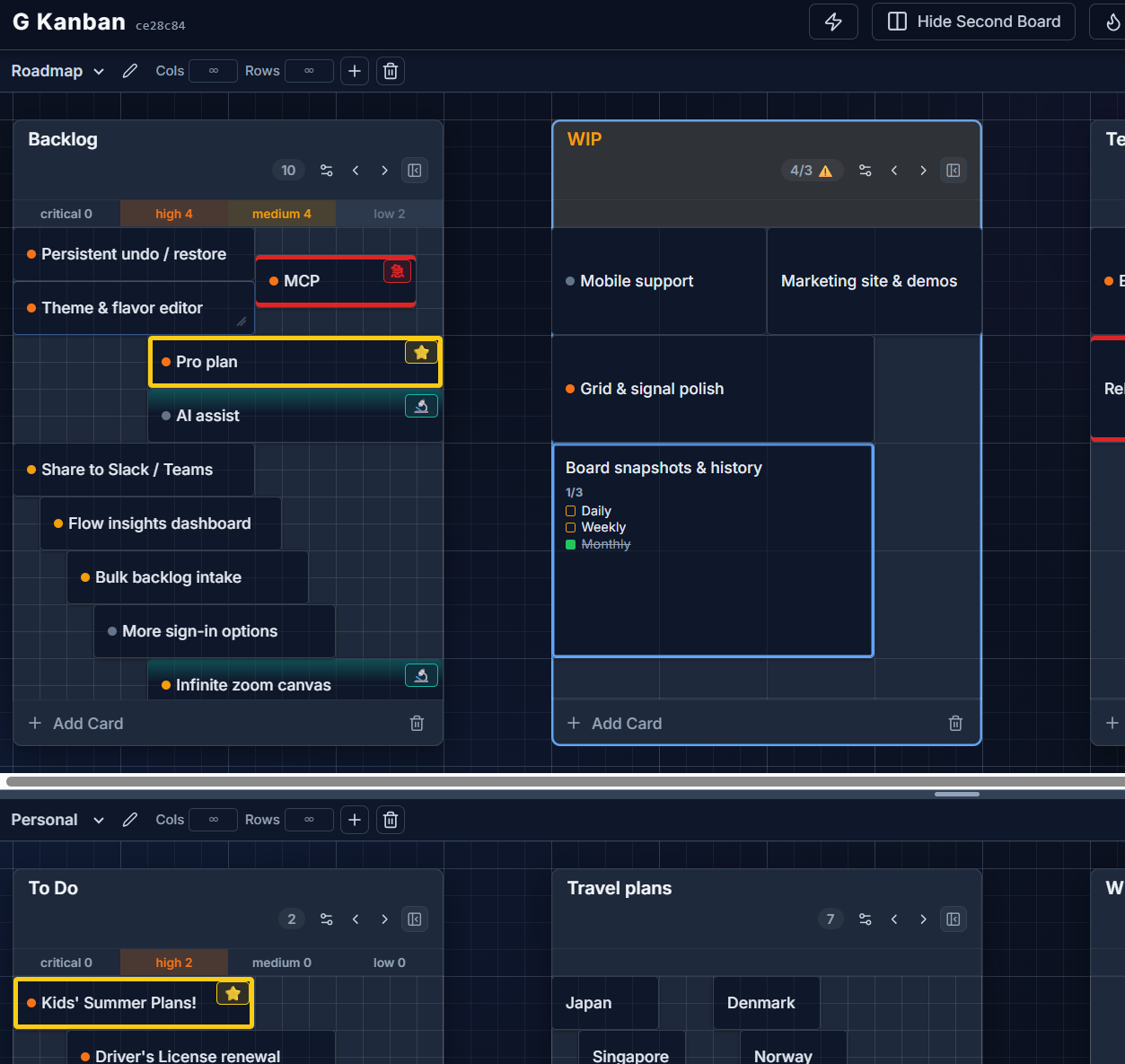
G Kanban is a spatial kanban board: a graph-paper grid where cards snap into a true square-cell layout instead of stacking in vertical lists. You place a card, and it stays exactly where you put it — no auto-sorting, no “cards float to the top of the column” behavior you’d get from a typical list-based tool.
How it’s different
Section titled “How it’s different”Most kanban tools model a column as a list: cards stack top to bottom in whatever order the tool decides. G Kanban models a column as a grid. Each cell is a square, cards can span multiple columns and rows, and you choose exactly where a card lands — like arranging notes on graph paper (方眼紙).
That single change unlocks a few things a list can’t do well:
- Size cards by importance. A card that spans 2×2 cells reads as more important than one that’s 1×1, without needing a separate “priority” glance.
- Arrange spatially, not just sequentially. Group related cards together in a corner of a column, leave gaps, build your own visual language for the board.
- Two layout modes. Auto-flow packs cards to the top and closes gaps automatically (closer to a traditional list); Exact Position keeps every card frozen exactly where you dropped it. You choose per column — see Grid config.
Keyboard-first, works offline
Section titled “Keyboard-first, works offline”G Kanban ships with vim-style navigation (h/j/k/l) and a command palette out of the box — see Keyboard shortcuts. It’s also fully usable offline: your boards live in this browser by default, and signing in is optional. Read more in Local-first & signing in.
Two boards at once
Section titled “Two boards at once”You can view two boards side by side in a resizable split-pane layout, or replace the bottom pane with the Insights dashboard. See Boards & the split-pane view.