Resize & collapse
Resizing
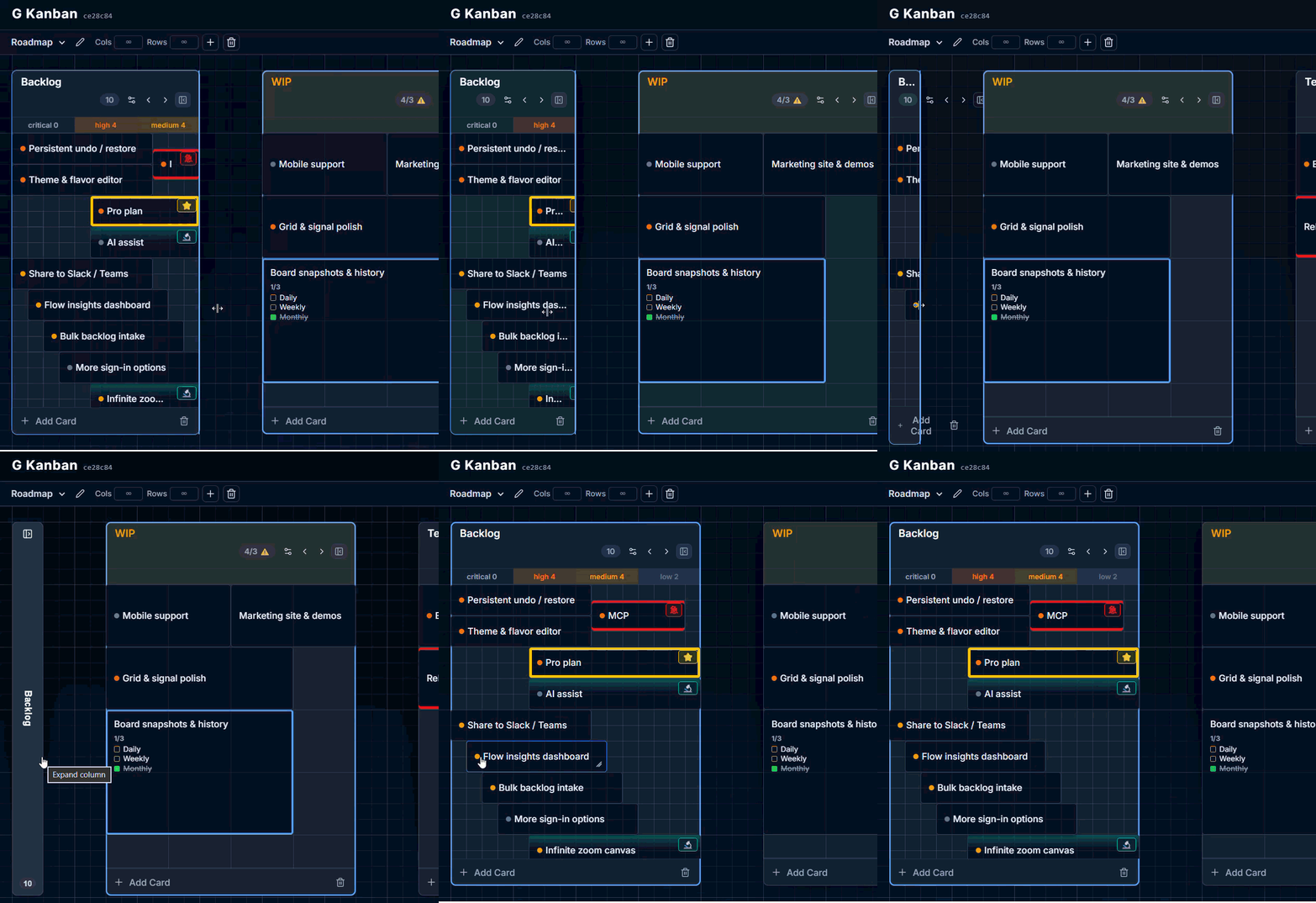
Section titled “Resizing”Drag the handle on a column’s right edge to resize it. Widths snap to a fixed set of canonical cell sizes rather than arbitrary pixels — this is what keeps the grid’s “graph paper” rhythm consistent across every column on the board, no matter how you resize things.
Collapsing
Section titled “Collapsing”Keep dragging a column’s resize handle inward past its minimum width and it collapses to a thin vertical bar showing just the title and card count — useful for columns you want to keep on the board but out of the way. A header button (the panel icon) toggles collapse without dragging, too.
Collapsed columns automatically re-expand if you drag a card over them, so you never lose access to a column just because it’s collapsed.
Reordering and deleting
Section titled “Reordering and deleting”Move a column left or right to swap it with its neighbor. Deleting a column that still has cards on it asks whether to move those cards to another column first, or delete the column and its cards together.