Grid config (sub-columns, fine grid)
Open a column’s settings (gear icon in the column header) to configure how its grid is divided.
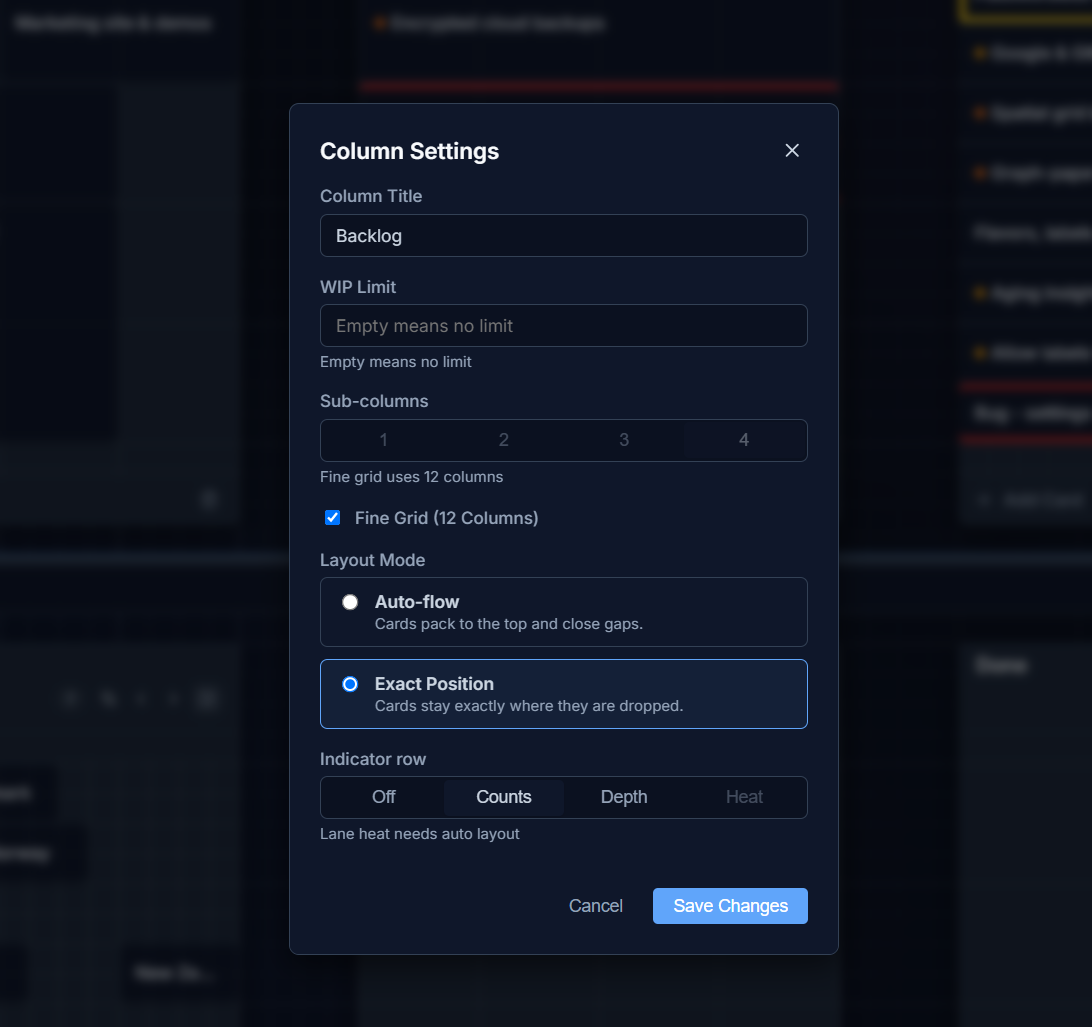
Sub-columns
Section titled “Sub-columns”Each column can be divided into 1, 2, or 3 sub-columns, giving you finer placement within the column without making it wider.
Fine grid
Section titled “Fine grid”Turning on Fine Grid (12 Columns) switches the column to a 12-sub-column layout — the same idea as Excel’s 方眼紙 (graph paper) mode, just denser. Fine Grid and the 1/2/3 sub-column setting are mutually exclusive; enabling Fine Grid disables the sub-column picker.
Layout mode
Section titled “Layout mode”- Auto-flow — cards pack to the top and close gaps automatically.
- Exact Position — cards stay exactly where they are dropped, gaps and all.
Row height and gap
Section titled “Row height and gap”Row height and the gap between cells can also be adjusted here if you want a looser or denser grid.